Airbnb host dashboard essentials
A clean dashboard should flag today’s check-ins, unresolved guest questions, and rates you must adjust before the weekend.
Key takeaways
- •Daily: arrivals/departures, unresolved issues, near-term rates.
- •Weekly: occupancy, ADR vs. last period, response time.
- •Share a one-page owner snapshot instead of ad-hoc updates.
What a modern Airbnb host dashboard should show
See how Host Pilot transforms your daily operations and occupancy.
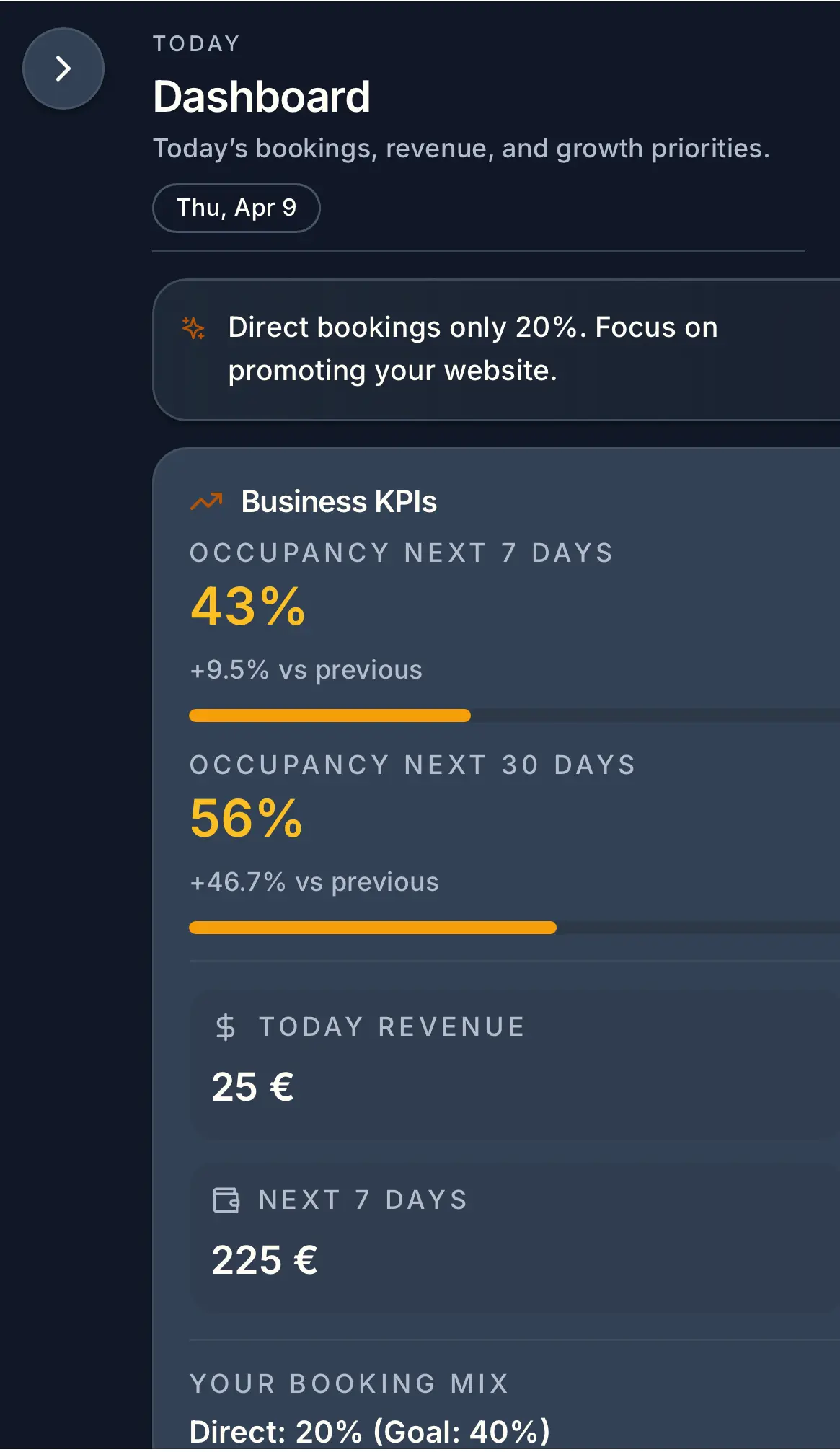
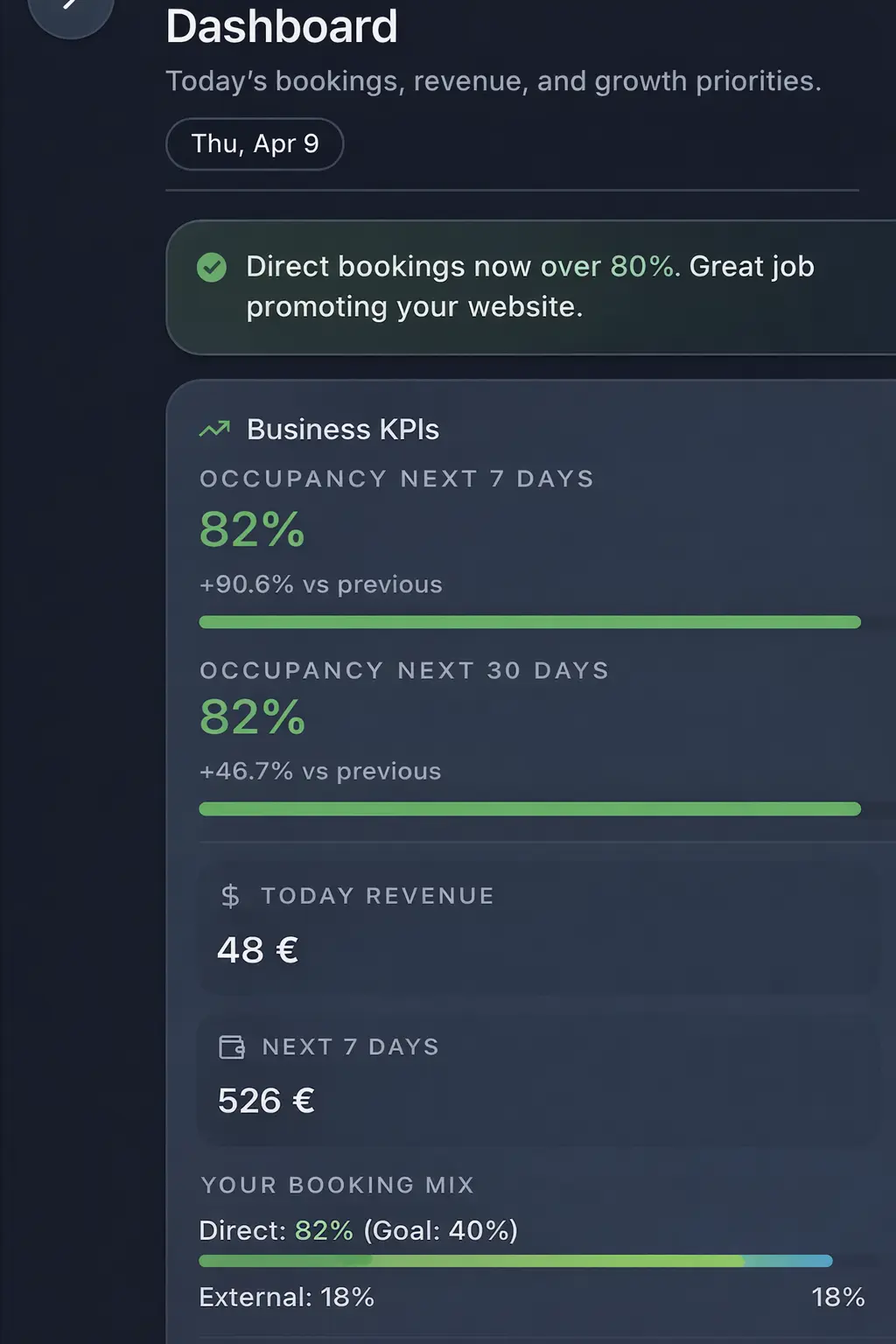
- Manual updates -> automated visibility
- Fragmented tools -> centralized dashboard
- More direct bookings with less admin
Common problems hosts face
- •Key metrics spread across Airbnb, spreadsheets, and pricing tools
- •No view of open guest issues by priority
- •Unclear if rate changes are improving occupancy or hurting margin
- •Owners ask for updates you cannot provide quickly
What good solutions should include
- •Daily view of arrivals, departures, and unresolved guest threads
- •Occupancy and ADR vs. last 30 days and last year
- •Upcoming events calendar with suggested pricing actions
- •Sharable summaries for cleaners and owners without exposing logins
Practical tips from day-to-day hosting
- Set a five-minute morning routine: check arrivals, unresolved issues, and weekend rates.
- Track three KPIs weekly: occupancy, ADR, and response time. Keep it simple.
- Log the outcome of pricing changes to learn what moved occupancy.
- Send owners a weekly snapshot instead of ad-hoc updates.
Mid-guide action: pick one change to test this week (e.g., add an approval-based arrival template or set a weekend rate floor) and measure response time or occupancy impact.
What good solutions should include
- •Daily view of arrivals, departures, and unresolved guest threads
- •Occupancy and ADR vs. last 30 days and last year
- •Upcoming events calendar with suggested pricing actions
- •Sharable summaries for cleaners and owners without exposing logins
Tools and options compared
Choose the option that fits your portfolio size.| Option | Best for | Why it works / doesn't |
|---|---|---|
| Manual updates | Spreadsheet routine | Morning reports go stale fast when occupancy, rates, and guest issues need constant re-checking. |
| Fragmented tools | Split systems | When pricing, messaging, and occupancy live in different tabs, trends are easy to miss and harder to act on. |
| Host Pilot | Automated dashboard | Centralizes occupancy, booking performance, pricing cues, and guest issues in one host view. |
Where Host Pilot fits
- •Single dashboard with occupancy, pricing cues, and guest issues.
- •Guide engagement shows which questions you’ve deflected.
- •Shareable views for cleaners and owners without new logins.
FAQ
What should I check daily?+
Arrivals, departures, unresolved guest issues, and rate gaps for the next two weekends.
How often should I update pricing?+
Weekly for most markets; daily around peak season or big events.
How do I report to owners?+
Send one weekly snapshot: occupancy, ADR, top issues, and planned actions.
Related guides
Keep hosting simple
Use this guide to tighten your workflow, then add the tools that save you the most time. When you are ready, Host Pilot can handle messaging, pricing guardrails, and guest guides in one place.